How to Subscribe
Join the Dove Letter community and start learning today
Pricing
By subscribing via GitHub Sponsors, you will automatically be invited and granted access to the Dove Letter main page and GitHub repository. The subscription price is monthly $7 for now but may gradually increase for later subscribers.
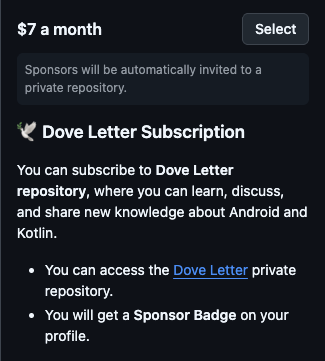
By subscribing early, you'll benefit from a lower price compared to later subscribers. For example, if you start your subscription at $6, you'll continue to pay $6 per month, even if the subscription price increases for new subscribers in the future.
Welcome Message
Upon subscribing, you'll receive the following welcome message:
Didn't get any invitation yet? The invitation may be delayed by up to 12 hours, as it depends on GitHub's automation system. Once you get invited to Dove Letter GitHub repository, you'll be able to access the main page as well.
Private Subscription
Would you like to subscribe to Dove Letter privately? GitHub Sponsors offers an option for you to subscribe to Dove Letter discreetly, ensuring your privacy.
Subscribe for Business or Lifetime
If you're interested in subscribing as a business at your company or opting for a lifetime (forever) subscription to Dove Letter, you can choose from the one-time subscription options below:
Next, scroll down until you find the options that include "You can access the Dove Letter private repository forever!" and select the one that suits you.
At this level, your company logo or personal profile will be prominently featured on the Dove Letter introduction page.
For the lifetime plan, it may take up to 12 hours to receive your invitation to Dove Letter, along with a thank you message.
If your team plans to subscribe to the business plan, you can inquire (custom prices depending on your team size) about the details by emailing skydoves2@gmail.com
Receipt
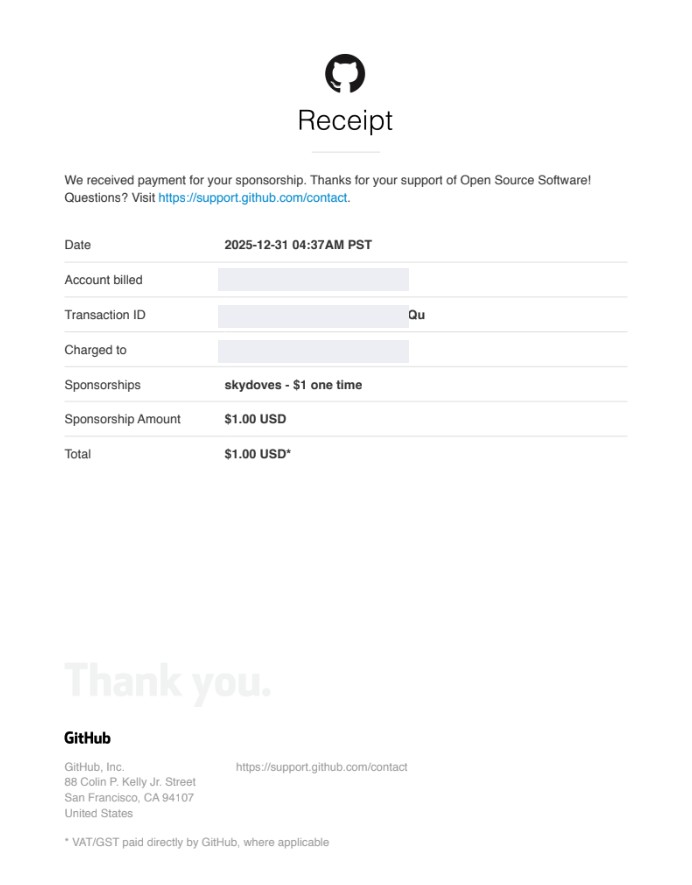
Once you become a sponsor, you'll receive a receipt from GitHub that can be used for expense verification or reimbursement through your company or organization.
Helpful Resources
Learn more about how GitHub Sponsors works: